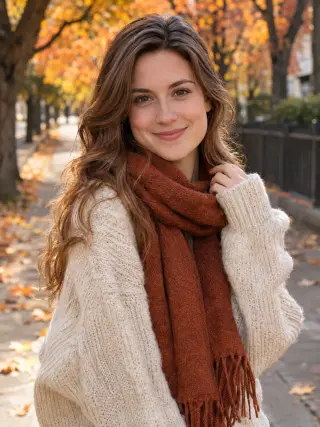
Create Natural AI Dating Photos From One Selfie
Turn one clear selfie into AI dating photos set in cafés, parks, city streets and evenings out. Pick a template for women or men, upload your photo and let the template handle the outfit, setting and light. Every photo is AI-generated, so keep the ones that honestly look like you.
Recent photos
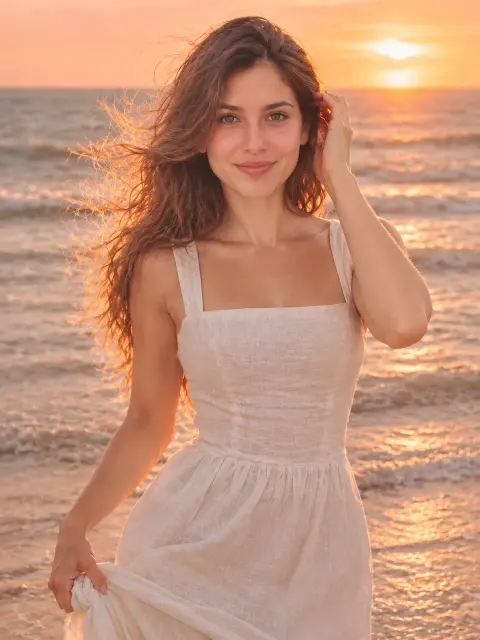
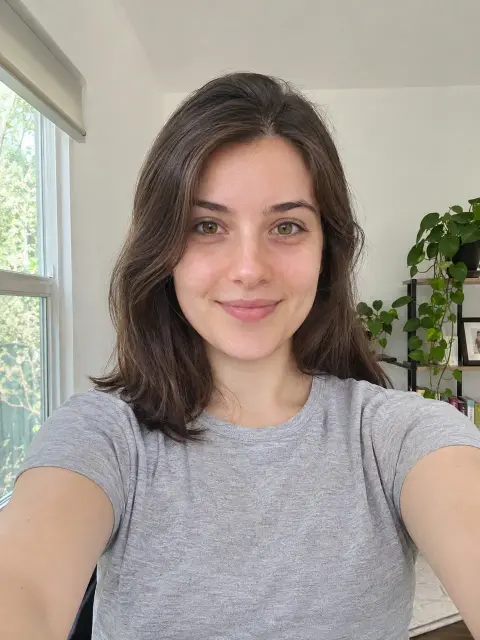 OriginalAI photoshoot
AI Dating Profile Photo Templates
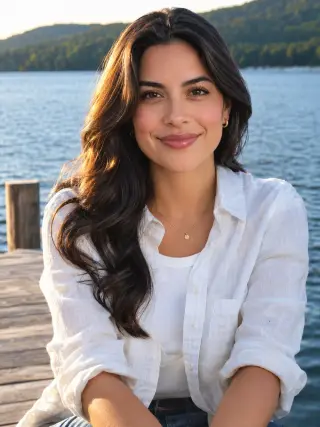
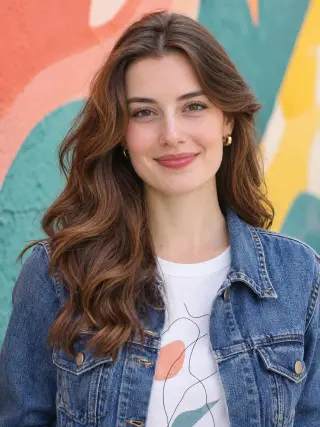
There are 27 dating templates, 19 for women and 8 for men, from café tables and bookshops to mountain trails, lake docks and candlelit bars. Each one sets the outfit, setting and light for you.



How to Create AI Photos for Dating Apps
Three steps from an everyday selfie to profile photos you can choose from.
- Upload photo1
Upload a Clear Photo
Choose a sharp, front-facing picture of yourself with even light on your face.
- 2
Choose a Template
Open the dating templates and pick the style you want to try first.
- Download3
Download Your Photos
Review your results, save the ones you like and try another style with the same photo.
What You Can Create With Our AI Dating Photo Generator
A good profile shows a few sides of you: a clear face photo, something outdoors, something you enjoy doing. Start with the kind of photo your profile is missing, then open the matching template.
Café and Bookshop Photos
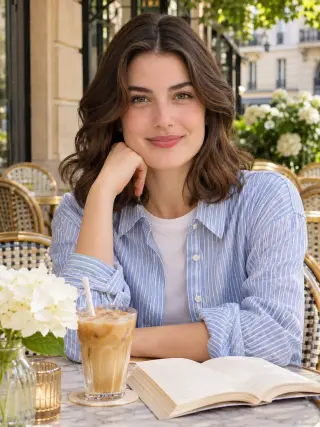
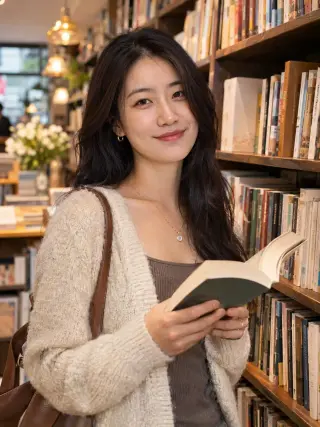
A café table in the sun is an easy, friendly first photo. The Café and a Book template pairs a striped linen shirt with a book at a marble table on a sunny terrace, while Bookshop Browse puts you between the shelves in a fluffy cardigan with an open book. Both suit a first photo where people simply want to see your face in good light.
Use the Café and a Book templateCity Street Photos
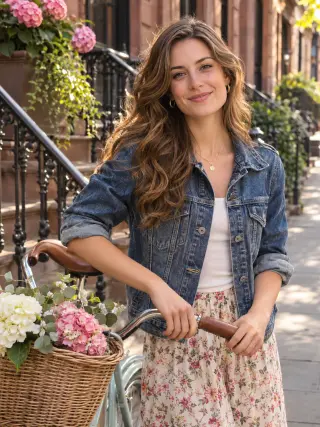
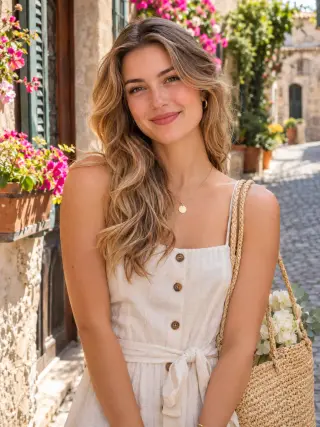
Street photos look like something a friend took on a walk. Choose a chunky knit and rust scarf on a leafy autumn street, a denim jacket and floral skirt beside a vintage bike in front of brownstones, a linen sundress on a cobbled old town lane or a graphic tee against a painted mural.
Use the Autumn Street templatePark, Picnic and Golden Hour Photos
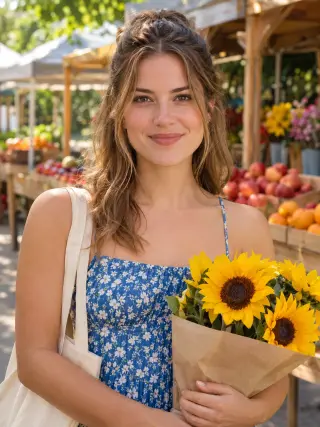
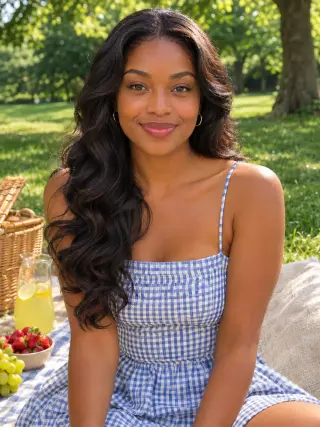
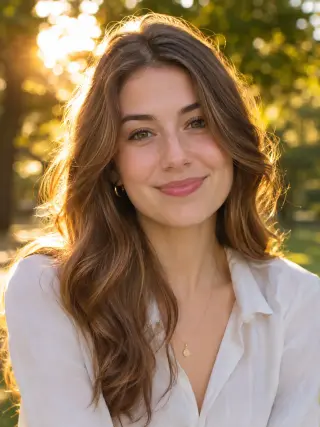
Warm evening light is flattering without looking staged. Golden Hour Park uses a linen shirt and backlit hair in a sunny park, Gingham Picnic sets a blue sundress on a picnic blanket and Farmers' Market adds a floral sundress and sunflowers among the market stalls. They work well as the relaxed second or third photo in a profile.
Use the Golden Hour Park templateBeach and Lakeside Photos
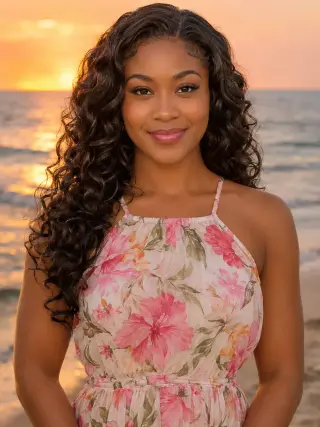
Water and open sky give a profile a holiday feel. Stand on the shore at sunset in a floral chiffon dress, or sit on a wooden dock over a calm lake in a linen shirt. Use these if time by the water is really part of your life, since it tends to come up in conversation.
Use the Beach at Sunset templateActive and Hobby Photos
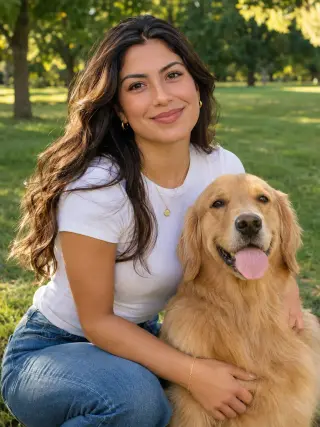
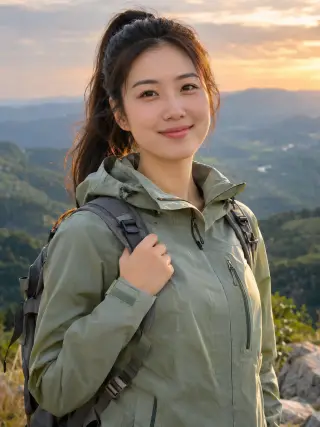
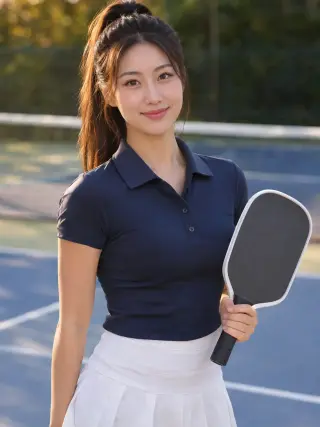
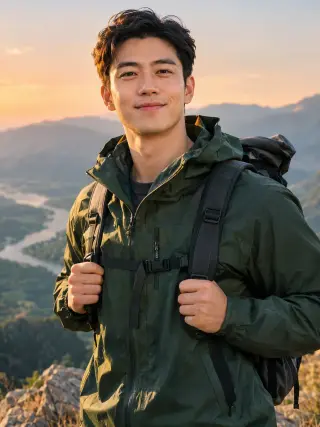
A photo of you doing something gives people an easy opening line. Hold a paddle on a pickleball court in a navy polo and white skort, stand above a green valley in a trail jacket with a backpack, or spend a day at the dog park in a white tee and jeans next to a golden retriever.
Use the Pickleball Court templateAt-Home Photos
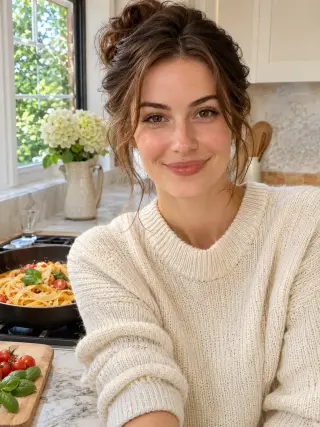
Not every profile photo needs a view. Cooking at Home shows you in a cosy knit making fresh pasta in a bright kitchen, which feels warm and unposed. It is a good fit if your ideal evening is dinner in rather than a table out.
Use the Cooking at Home templateNight Out and Dinner Date Photos
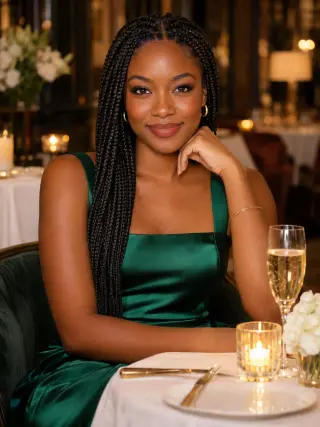
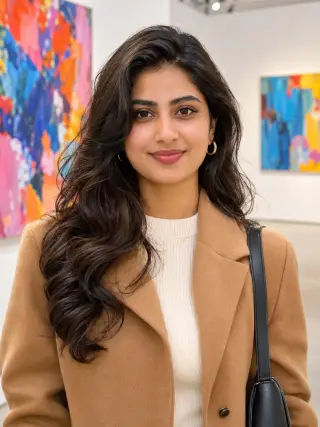
One dressed-up photo balances the daytime ones. Pick a black blazer and a glass of red in a candlelit wine bar, a black tank and a cocktail on a rooftop with the skyline at sunset, a camel coat among bold paintings at a gallery or a green satin dress at a candlelit dinner table.
Use the Wine Bar Evening templateMen's Café and Street Photos
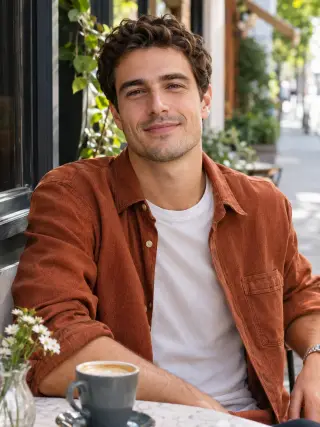
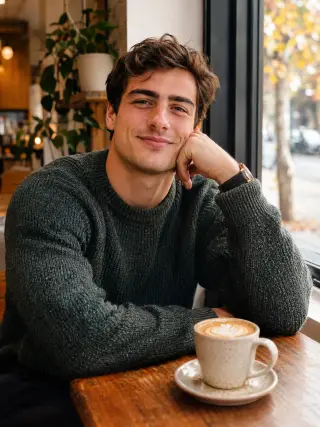
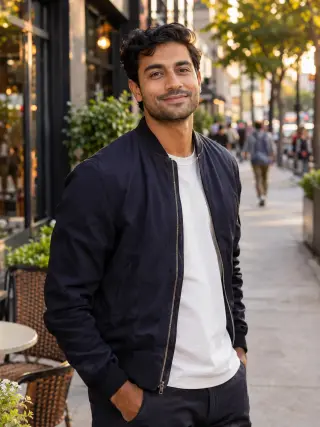
The men's templates keep the clothes simple and the light natural. Sit on a street café terrace in a corduroy overshirt with a latte, by a café window in a speckled knit, or walk a golden-hour street in a navy bomber and white tee. Any of the three works as a clear main photo.
Use the Men's Café Terrace templateMen's Outdoor Photos
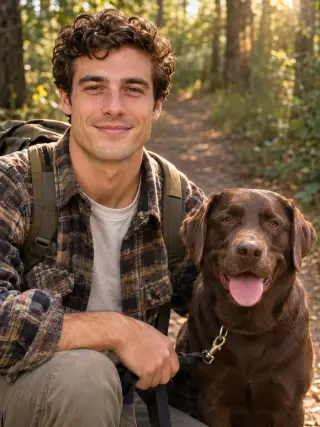
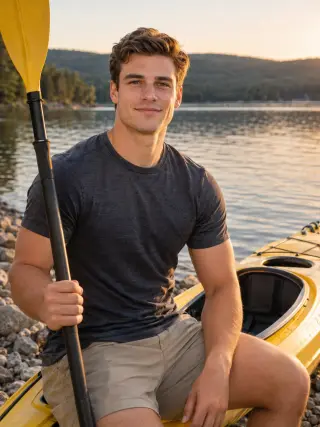
For an outdoors photo, choose a rain jacket and backpack on a summit above a river valley, a flannel shirt on a forest trail with a chocolate Lab, or a tee and shorts beside a yellow kayak on a lake shore. Pick the one closest to how you actually spend a free weekend.
Use the Men's Mountain Summit templateMen's At-Home Photos
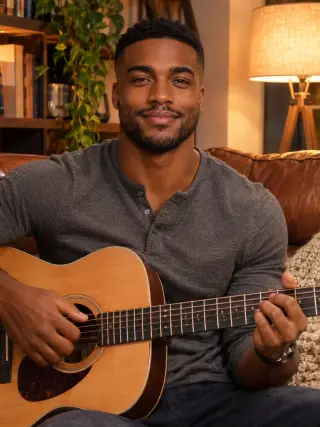
Two quieter options show you at home. One has a henley and an acoustic guitar on a leather sofa, and the other a denim shirt with fresh peppers on a chopping board. They suit a profile that already has a clear face photo and needs something more personal.
Use the Men's Guitar at Home templateHow to Choose AI Photos for Tinder, Hinge and Bumble
The template handles the outfit and setting. Being accurate about yourself is the part that stays up to you.
Only Keep Photos That Look Like You
Whoever you meet will compare your profile with you in person. Keep results that match your face, hair, build and age today, and delete the ones that are flattering but not really you. If you are not sure, ask a friend whether they would recognise you straight away.
Check Each Dating App's Photo Rules
Tinder, Hinge, Bumble and other apps each set their own rules on AI-generated or edited photos, and those rules can change. Read the current guidelines of the app you use before you upload anything, and follow them. Some apps also ask for a live selfie to verify a profile, which an AI photo cannot replace.
Start From a Clear, Recent Selfie
Look straight at the camera with your whole face visible and in focus, facing a window in daylight. Avoid sunglasses, hats, beauty filters and old photos, because the result can only be as accurate as the detail in your selfie.
Choose Scenes That Are True to Your Life
The dog, guitar, kayak and paddle in these templates are part of the scene, not yours. Pick the hobby templates only if they reflect something you really do, so your photos do not suggest a pet or pastime you would have to explain away on a first date.
Mix AI Photos With Real Ones
A profile reads as more believable when a café or city template sits next to real photos of you with friends, on a trip or at an event. Use the AI photos to fill a gap, such as a missing clear face photo, rather than to build the whole profile.
Generate a Few and Compare
Choosing 2 or 4 photos in one run gives you options, which helps you find the expression and angle closest to you. Keep the same selfie when you switch templates so it is easier to compare.
AI Dating Photos FAQ
Quick answers to what people usually ask before they create their first AI dating profile photos.
Start with your photoIs this AI dating photo generator free?
Only your first try is free. New accounts get 16 free credits, enough for 2 dating photos in 2K, and photos made with free credits carry a watermark. To keep creating and remove the watermark, choose a monthly plan you can cancel anytime or a one-time credit pack.
What are AI dating profile photos?
They are new photos created by AI from a photo of you. You upload one selfie and choose a template, and the AI uses your photo as a reference for your face while the template sets the clothes, setting and light. Every photo here is AI-generated rather than taken in a real café, park or bar.
Can I use AI photos on Tinder, Hinge or Bumble?
That depends on each app. Dating apps set their own rules on AI-generated and edited photos, and we cannot speak for them, so check the current guidelines of the app you use before uploading. Whatever the rules say, only use photos that are a fair picture of how you look today.
Will my AI dating photos look like me?
The aim is a photo that is clearly recognisable as you, but it is not a photograph, so details such as your hair, skin texture or smile can differ. A clear, well-lit, front-facing selfie gives the closest result, and generating 2 or 4 photos lets you pick the one that looks most like you.
Will AI Tinder photos get me more matches?
We cannot promise that. Clear, well-lit photos help people see who you are, but matches depend on your whole profile and on the person looking at it. A photo that does not look like you is likely to disappoint when you meet, so accuracy matters more than polish.
Are there AI dating photos for men?
Yes. Eight templates are made for men: two café looks, a golden-hour street, a mountain summit, a forest walk with a dog, a lakeside kayak, guitar at home and home cooking. The other 19 templates are made for women.
How many photos do I get, and how many credits do they use?
Each time you generate, you choose 1, 2 or 4 photos in 1K or 2K. A 2K photo uses 8 credits and a 1K photo uses 6. The default shape is 3:4, and you can also pick 1:1, 4:3, 2:3, 3:2, 9:16 or 16:9. If a photo fails to generate, its credits are returned automatically.
Are my uploaded photos private?
Yes. Your uploaded photo is used only to create your dating photos and is deleted from our server within 2 hours. Your results are visible only to you, are never shown in a public gallery and are deleted automatically 90 days after they are created, so download the ones you want to keep.
Can I make dating photos for a friend?
Yes, as long as they are an adult and have given you permission to use their photo. The templates are made for adults only, so please do not upload photos of anyone under 18.
More AI Photoshoot Templates
AI Headshot GeneratorClean professional headshots for profiles, resumes and company pages.AI Christmas PhotosFestive portraits in cosy knits, party glam and snowy winter scenes.AI Portrait GeneratorSolo portraits in a chosen style, from soft studio light to beach holidays and bold editorial looks.AI Birthday PhotoshootBirthday portraits with balloons, candles and milestone party themes.AI Wedding Photo GeneratorBridal portraits in classic and modern wedding styles.AI Maternity PhotoshootSoft pregnancy portraits in studio and outdoor settings.All AI photoshoot templatesBrowse every template by people, occasion and style.AI photoshoot generatorStart from the home page and choose any template.
Your next portrait starts with one photo.
Start with your photo