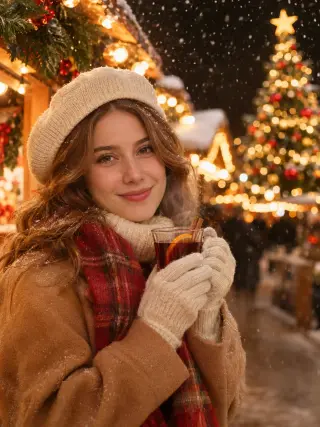
Turn One Selfie Into AI Christmas Photos
Make AI Christmas photos from one clear selfie, with no tree to decorate and no photographer to book. Pick a festive template, upload your photo and let it handle the outfit, the set and the light, so you have something ready for your card, your feed or the family group chat.
Recent photos
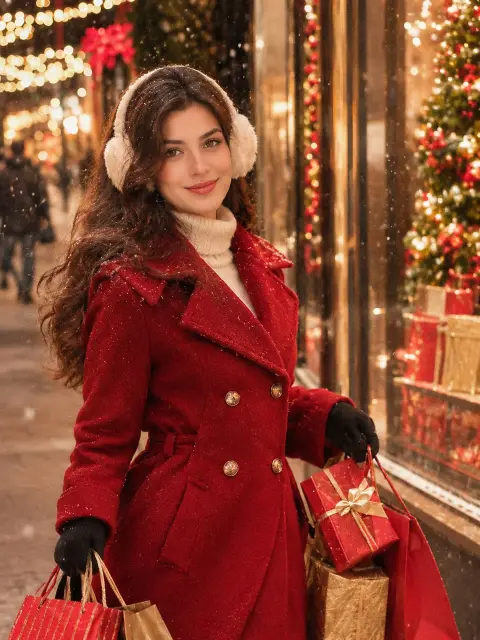
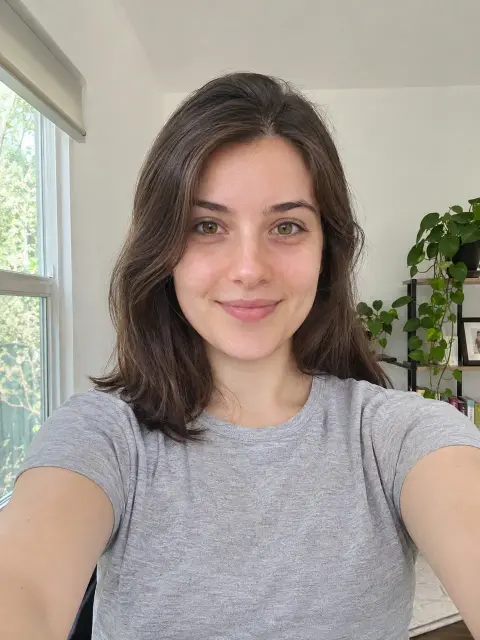 OriginalAI photoshoot
AI Christmas Photo Templates
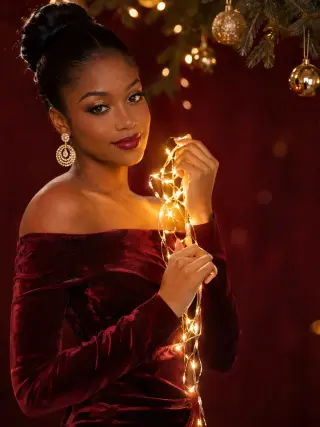
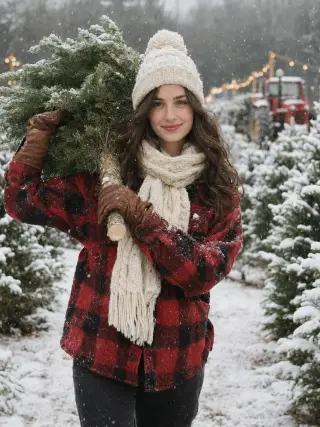
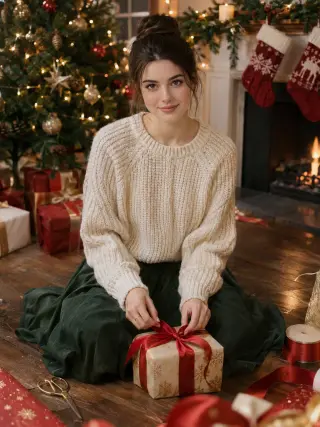
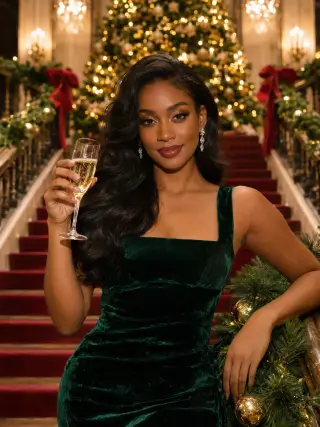
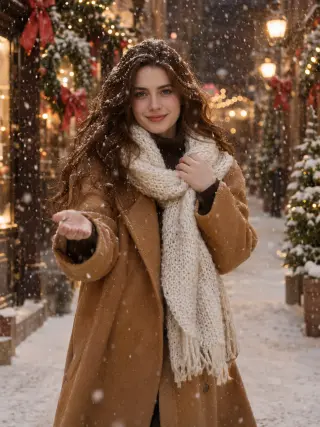
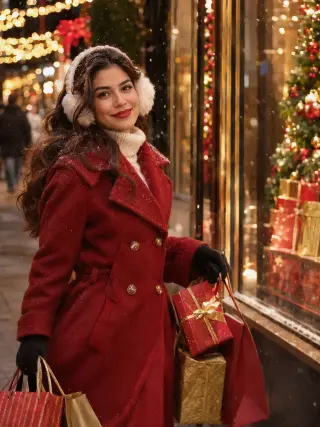
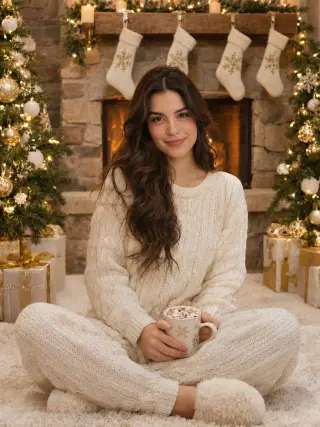
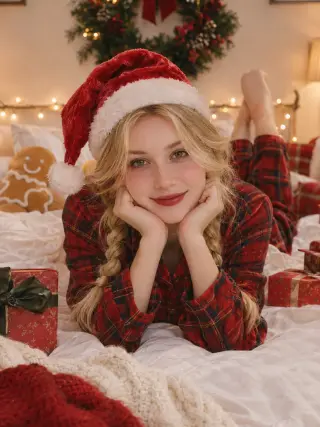
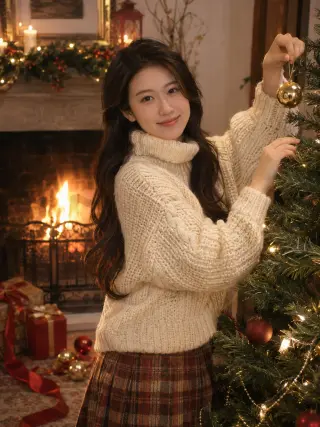
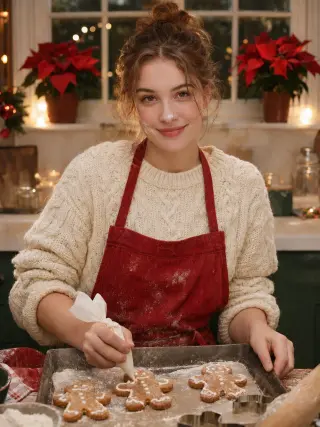
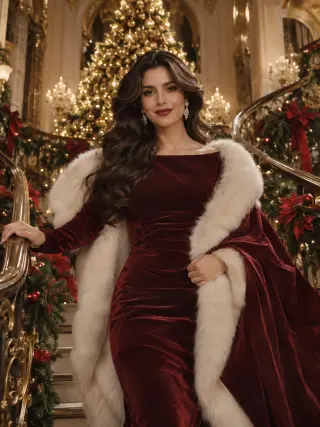
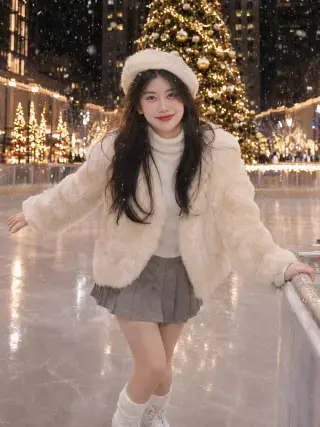
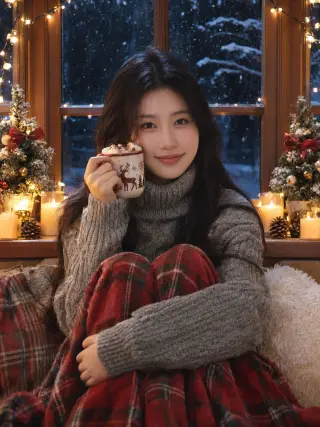
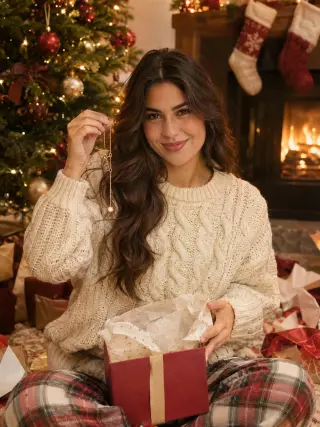
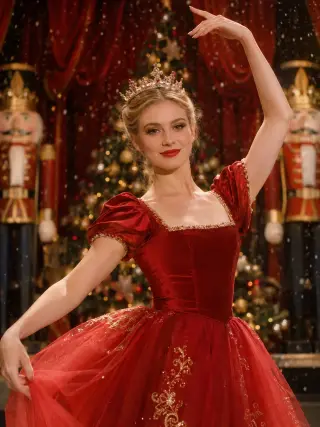
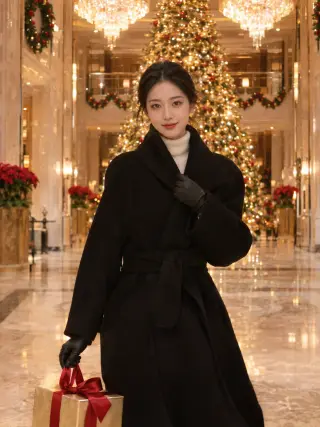
25 Christmas templates for women, from pyjamas by the tree and gingerbread baking to velvet gowns, snowy forests and Christmas markets. Each one sets the outfit, setting and light for you.

How to Create an AI Christmas Photoshoot
Three steps from an everyday selfie to Christmas photos you can share.
- Upload photo1
Upload a Clear Photo
Choose a sharp, front-facing picture of yourself with even light on your face.
- 2
Choose a Template
Open the christmas templates and pick the style you want to try first.
- Download3
Download Your Photos
Review your results, save the ones you like and try another style with the same photo.
What You Can Create With Our AI Christmas Photo Generator
Most people know the mood they want before they know the template. Start with the kind of Christmas you want to show, then open the matching template.
Cosy Christmas Photos at Home
These templates look like a quiet December evening indoors. Hang gold baubles on a half-decorated tree, find a gold necklace in a just-opened present, tie red satin bows on gifts by the fire, or sit in a window seat with cocoa while snow falls outside. They suit a warm, personal post more than a formal portrait.
Use the Gold Bauble Fireside templateChristmas Pyjama Photos
Matching pyjamas are a Christmas morning classic. Choose red plaid pyjamas and a Santa hat on a white bed, or cream knit pyjamas and a mug of cocoa beside a lit tree and a stone fireplace. Both give you the relaxed morning picture without having to tidy the living room first.
Use the Plaid Pyjamas templateBaking and Christmas Dinner
Food scenes say Christmas without a single gift in the frame. One template has you piping icing onto a tray of gingerbread men, with a little flour on your nose. Another seats you in a red satin dress at a long table of candles, pine and red berries, lighting a candle with a glass of red wine in hand.
Use the Gingerbread Baking templateVelvet Gowns and Party Glam
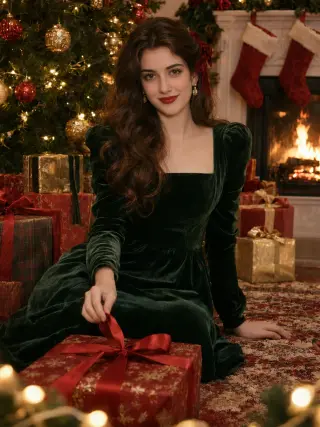
For a dressed-up AI Christmas photoshoot, pick an emerald gown and a glass of champagne on a garland-lined staircase, or a red velvet gown with a fur-trim cape on a palace staircase. A red satin ballet dress and tiara on a nutcracker stage and a black wool coat in a chandelier-lit hotel lobby give the same evening mood in a different way.
Use the Emerald Gown Staircase templateStudio Portraits for an AI Christmas Card Photo
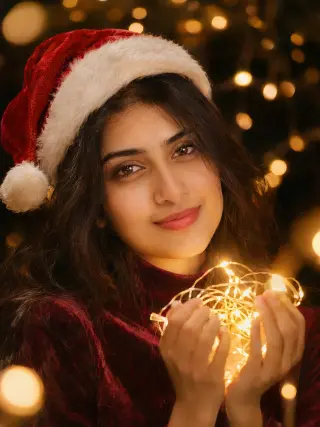
A plain backdrop keeps the focus on your face, which helps when the photo is printed small on a card. Choose an off-the-shoulder burgundy velvet dress on a deep burgundy backdrop with a strand of gold lights wound around your hand, or a close-up in a burgundy velvet top holding a glowing bundle of fairy lights just below your face.
Use the Burgundy Velvet Studio templateSnowy Outdoor AI Holiday Photos
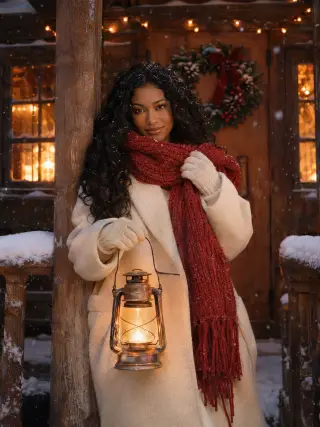
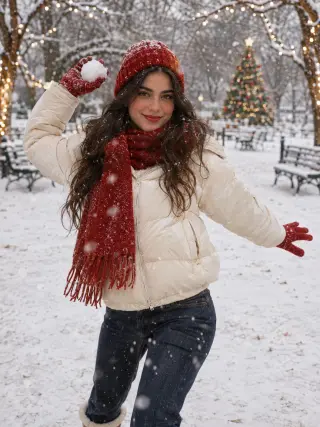
Falling snow makes a winter portrait feel seasonal even without a tree. Catch snowflakes on a garland-hung old town street in a camel coat, hold a lantern on a snowy cabin porch in a cream coat and red scarf, or get ready to throw a snowball in a cream puffer and red gloves. These work well for anyone who lives where December is warm or wet.
Use the Camel Coat Snowfall templateChristmas Market and Town Scenes
City templates add lights, shop windows and a sense of being out for the evening. Hold a cup of mulled wine between wooden market stalls, carry gifts down a snowy shopping street in a red coat, or skate on a city rink in a fluffy cream jacket and beret with a giant tree behind you.
Use the Christmas Market templateTree Farm and Vintage Car
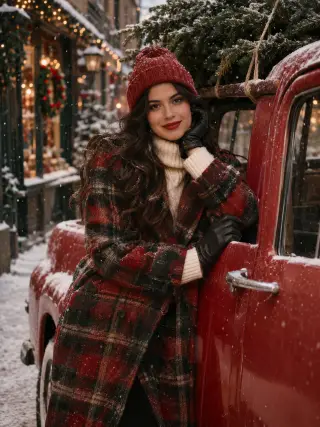
Bringing the tree home is its own tradition. The tree farm template shows you in buffalo plaid, carrying a fresh-cut fir on your shoulder past rows of snowy trees. The vintage car template puts you in a plaid coat, leaning on a red vintage pickup with a tree strapped to the roof.
Use the Christmas Tree Farm templateA Storybook Christmas AI Photo
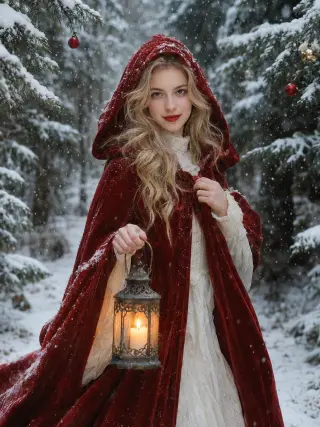
If you want something closer to a winter fairy tale than a family snapshot, try the red cloak template. A hooded red velvet cloak, a candle lantern and a snowy pine forest hung with a few baubles make a picture that stands out in a feed full of trees and jumpers.
Use the Red Cloak Forest templateWinter White Christmas Photos
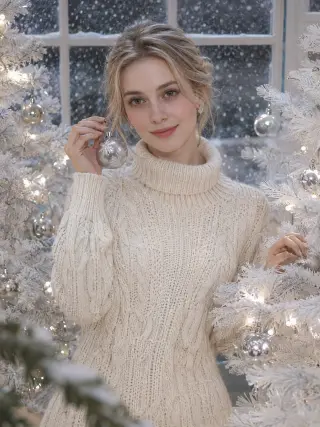
Not every festive photo has to be red and green. This template pairs a cream knit sweater dress and a silver bauble held up by your face with a white tree, silver baubles, white lights and snow falling outside. The pale palette feels calm and modern, and it sits easily next to the rest of your photos.
Use the Winter White templateAI Christmas Photo Generators Compared
AIPhotoshoot.net is one of the tools below. Everything in the table comes from each company's own website, and prices change often, so check before you buy. Checked on November 19, 2026.
| Tool | Photos you upload | Starts at | Free option | Christmas looks | Card or print |
|---|---|---|---|---|---|
| AIPhotoshoot.net | 1 selfie | $9.99/month, or $19.99 once for about 22 photos | 2 photos in 2K, watermarked | 25 templates (women) | Download in 2K and add to any card maker |
| Aragon AI | A few selfies | $35 for 40 photos (headshot packs; the Christmas page shows no price) | Says new accounts get free credits | 10 styles | No card maker; add the photo to your own card |
| Photo AI | 5–15 photos (its FAQ also suggests about 20) | $19/month, or $9/month billed yearly; subscription only | Not clear on its pricing page | Christmas and Christmas Card packs | Not stated |
| Pose AI | 1 photo | $4.99 for the first week, then $14.99/week | None | 6 holiday scenes in one pack | Print-ready files, no card maker |
| ChatGPT or Gemini | 1 photo plus your own prompt | Free, with limits | Yes, limits not published | Anything you describe | No |
| Canva | Your own photos (it does not create your portrait) | Free card maker; printing costs extra | Free templates | Hundreds of card templates | Yes: Canva Print and free e-cards |
Which One to Choose
One Selfie, Ready-Made Sets
AIPhotoshoot.net or Pose AI. Both work from one photo with Christmas scenes already designed. Pose AI is a weekly subscription; we sell monthly plans or a one-time pack that never expires.
Full Control Over the Scene
ChatGPT or Gemini, if you are happy to write a prompt and rework it until the scene, outfit and light look right. Both are free to try, with usage limits.
Where We Are Not the Best Fit
Our Christmas templates are solo portraits for women. For a men's photo, or a couple in one picture, try a prompt-based tool. To design and print the finished card, use Canva.
Sources: Aragon Christmas photos · Aragon pricing · Photo AI Christmas cards · Photo AI pricing · Pose AI Christmas photos · Pose AI pricing · Gemini limits · Canva Christmas cards
How to Turn Your AI Christmas Photo Into a Card
We make the photo, not the card. These three steps take it from your account to a card you can print or send.
Create It in 3:4 and 2K
Keep the default 3:4 shape for a portrait card and pick 2K, so the file stays sharp when it is printed. Use paid credits so the photo has no watermark.
Download Your Favourite
Open your results, compare the versions and download the one that looks most like you. Save it soon, because photos are deleted automatically after 90 days.
Add It to a Card Template
Upload the photo to Canva or your usual print service, drop it into a Christmas card template, add your greeting and order prints or send it as an e-card.
How to Get Better AI Christmas Photos
The template handles the outfit, the decorations and the snow. These choices are the part that stays up to you.
Upload a Clear, Front-Facing Selfie
Look straight at the camera with your whole face visible and in focus. Avoid sunglasses, Santa hats, reindeer filters, hands near your face and heavy shadows, because the result can only be as accurate as the detail in your photo.
Take Your Selfie in Daylight, Not by the Tree
A photo taken facing a window works better than one lit by fairy lights or a dim lamp. The template adds the candle glow and the sparkle, so your selfie only needs to show your features clearly.
Pick the Template for Where the Photo Will Go
Close-ups and studio portraits stay readable on a small card or as a profile picture, while gowns and snowy street scenes look best at a larger size. Keep the default 3:4 for a portrait card, choose 3:2 or 4:3 for a landscape card, 9:16 for stories or 1:1 for a square post.
Generate a Few Photos at Once
Choosing 2 or 4 photos in one run gives you options to compare, which helps you find the expression that looks most like you. To compare themes, keep the same selfie and change the template first, so it is easier to see what makes the difference.
Choose 2K if You Plan to Print
A 2K photo gives you the larger file, which is the safer choice for a printed card or a framed gift. For a story or a message to friends, 1K uses fewer credits and still looks sharp on a phone.
Make Your Christmas AI Photo Early
Printers and the post get busy in December, so create your photos with time to spare if they are going on a card. Download the ones you like soon after, because photos are deleted automatically 90 days after they are created.
AI Christmas Photos FAQ
Quick answers to what people usually ask before they create their first AI Christmas photos.
Start with your photoWhat is the best AI Christmas photo generator?
It depends on what you have and what you want. With one selfie and no prompt writing, a template tool such as AIPhotoshoot.net or Pose AI is the quickest. ChatGPT and Gemini are free to try but need you to describe the scene. Aragon and Photo AI ask for several photos. Canva doesn't create your portrait, but it is the easiest way to turn one into a printed card. The comparison table above has prices and free options for each, checked on November 19, 2026.
Is this AI Christmas photo generator free?
Only your first try is free. New accounts get 16 free credits, enough for 2 Christmas photos in 2K, and photos made with free credits carry a watermark. To keep creating and remove the watermark, choose a monthly plan you can cancel anytime or a one-time credit pack.
How does an AI Christmas photo generator work?
You upload one selfie and choose a template. The AI uses your photo as a reference for your face, while the template sets the outfit, decorations, setting and light. Every photo here is AI-generated rather than taken on a real set, so you need no props, tree or studio.
Can I use these photos on a Christmas card?
Yes. Download the photo and add it to your design in the card maker or print service you already use. Choose 2K for the larger file and a shape that matches the card. Photos made with free credits carry a watermark, so pick a plan or credit pack before you print.
How many Christmas photos do I get, and in what sizes?
Each time you generate, you choose 1, 2 or 4 photos in 1K or 2K. A 2K photo uses 8 credits and a 1K photo uses 6, so four 2K photos use 32 credits. The default shape is 3:4, and you can also pick 1:1, 4:3, 2:3, 3:2, 9:16 or 16:9. If a photo fails to generate, its credits are returned automatically.
Can I make a family or couple Christmas photo?
Not in one picture. The Christmas templates are solo portraits for women, created from a single selfie, so each photo shows one person. Other adults can make their own photo with their own selfie, and you can place the results side by side on a card.
Will my AI Christmas photos look like me?
The aim is a portrait that is clearly recognisable as you, but it is not a photograph, so details such as your hair, skin texture or smile can differ. A clear, well-lit, front-facing selfie gives the closest result, and generating 2 or 4 photos lets you pick the one that looks most like you.
Can I make Christmas photos of my kids or a friend?
For a friend, yes, as long as they are an adult and have given you permission to use their photo. The templates are made for adults only, so please do not upload photos of anyone under 18, including for a family card.
Are my uploaded photos private?
Yes. Your uploaded photo is used only to create your Christmas photos and is deleted from our server within 2 hours. Your results are visible only to you, are never shown in a public gallery and are deleted automatically 90 days after they are created.
Can I post my AI holiday photos on social media?
Yes. You can share them on Instagram, Facebook, TikTok or anywhere else, and use them for personal and commercial purposes as long as you follow our Acceptable Use Policy. Photos made with free credits carry a watermark until you choose a plan or credit pack.
More AI Photoshoot Templates
AI Headshot GeneratorClean professional headshots for profiles, resumes and company pages.AI Portrait GeneratorSolo portraits in a chosen style, from soft studio light to beach holidays and bold editorial looks.AI Birthday PhotoshootBirthday portraits with balloons, candles and milestone party themes.AI Wedding Photo GeneratorBridal portraits in classic and modern wedding styles.AI Maternity PhotoshootSoft pregnancy portraits in studio and outdoor settings.AI Dating PhotosNatural dating profile photos in cafés, parks, city streets and evenings out.All AI photoshoot templatesBrowse every template by people, occasion and style.AI photoshoot generatorStart from the home page and choose any template.
Your next portrait starts with one photo.
Start with your photo